AI camera alerts for the cameras you already have.
Built for car dealerships, yards, self-storage and workshops.
A small agent at your site analyses the feeds you select, identifies the events you configure, and notifies the people you choose.
We reply within one business day. Setup is about twenty minutes, on a call.
Example alert:
[Sentinel]
Person detected — North Lot
Sent to 2 people · 02:14:09
A camera view of a dark lot at 02:14:07 with three parked cars under a lamp. A person walks in, a box is drawn around them labelled "person, 0.91 confidence", and an alert card appears reading "Person detected — North Lot", sent to two people at 02:14:09.
The picture is an illustration of what Sentinel does: it watches the cameras you choose, draws a box around what it identified, and emails the people you nominated — with the snapshot attached — while it is happening.
- Nothing inbound — the agent connects out
- Works with UniFi Protect, Hikvision, Dahua, Reolink, Amcrest…
- One alert, with the picture
The network answer
Nothing inbound.
The agent at your site opens a connection out over HTTPS and keeps it. There is no VPN to stand up, no port to forward, no rule to add on the firewall and nothing for anyone to review — because nothing is listening.
The feed itself never leaves the building. What leaves is the event: the snapshot, a few seconds of clip, and what the model called it.
Your IT person can approve it in one sentence.
Two boxes. On the left, your site: the agent and your cameras, with the video staying there. On the right, Sentinel: the events and snapshots it receives, and the email it sends to your people. One arrow runs left to right, labelled outbound HTTPS. The arrow that would run right to left is dashed, locked and struck through, and labelled no inbound rule. No VPN, no port forwarding, no firewall change.
The camera answer
Your cameras. The ones already on the wall.
UniFi Protect cameras are discovered from the controller and re-synced on a schedule, so a rotated stream token repairs itself. Any other camera or NVR is added from the panel — found on the network over ONVIF, or by pasting its RTSP URL.
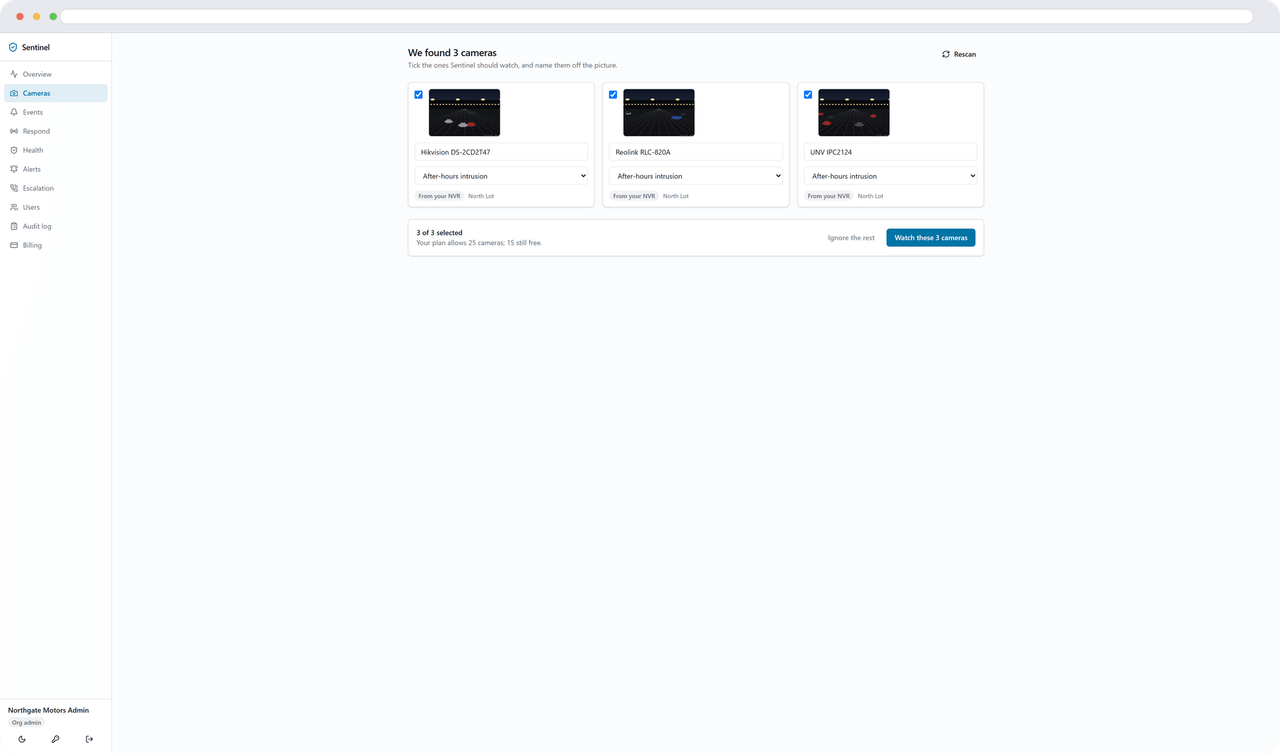
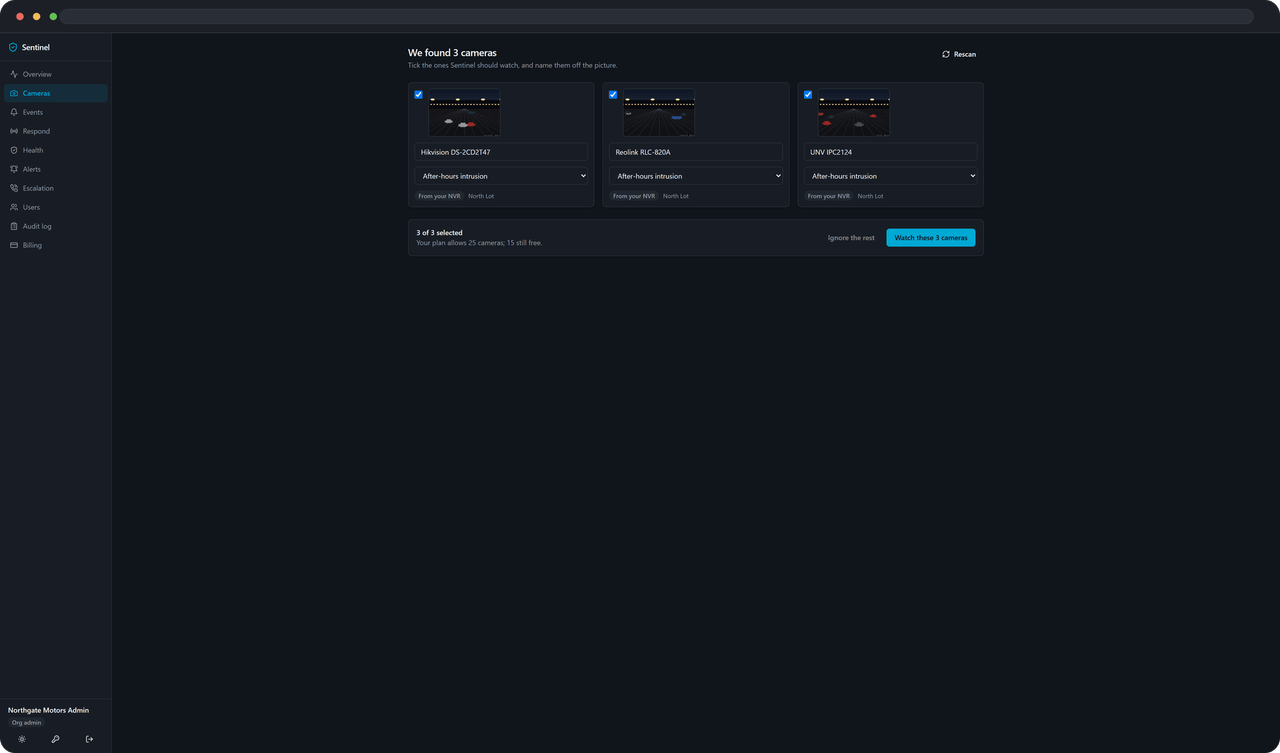
Everything the agent finds waits in a picker, as thumbnails, until you choose. A camera you did not pick is not analysed and does not count against your plan.
No rip-and-replace. Nothing to buy first.
Getting started
From nothing to your first alert, in three steps.
One sitting. No site visit.
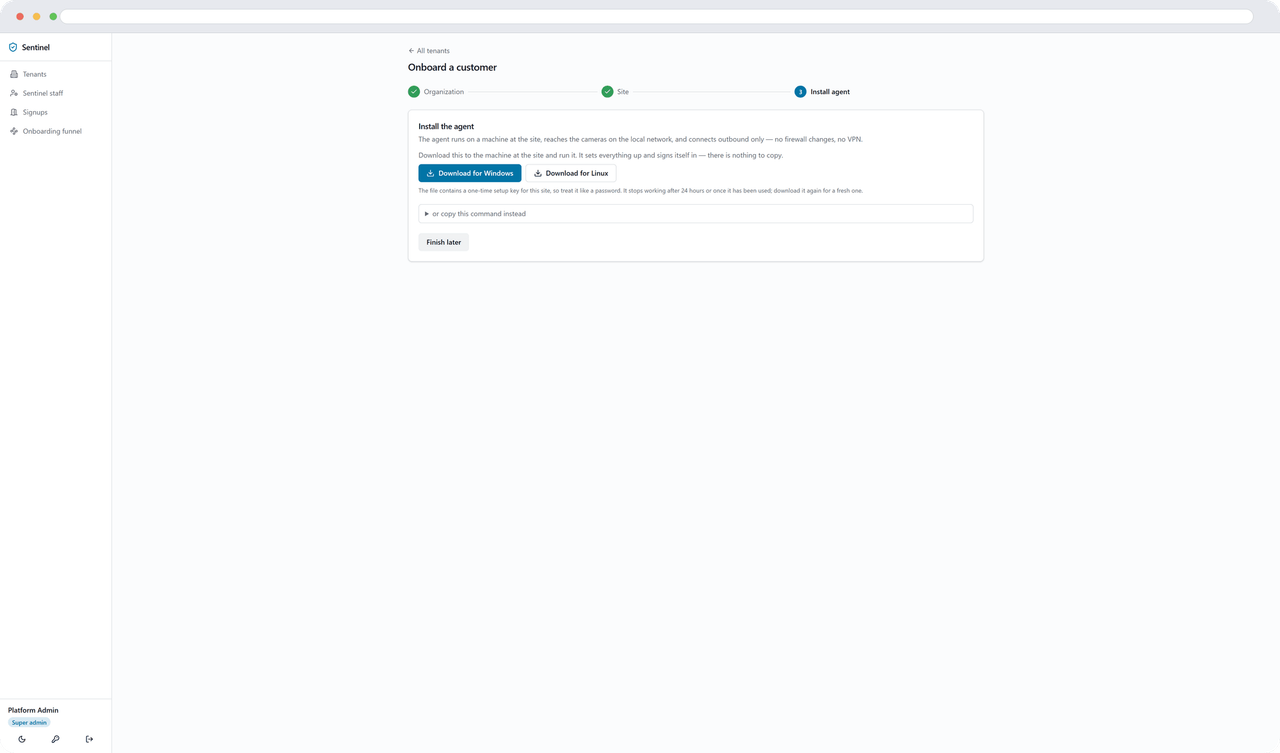
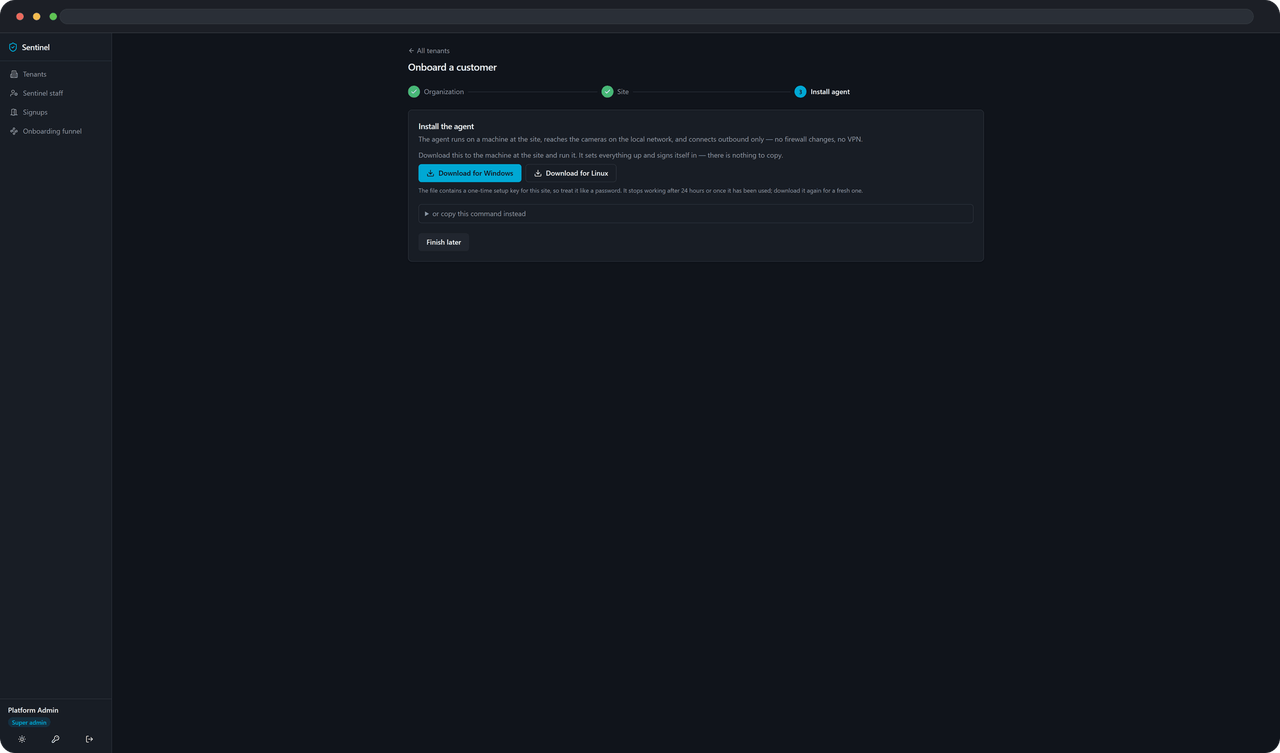
Install the agent
Download the installer from your site’s page and run it. The setup key is already part of the download, so there is nothing to copy and paste. The page flips to Agent connected while you are still looking at it.
Choose your cameras
The agent looks at what is on the network — the Protect controller if you have one, anything answering over ONVIF, plus any RTSP URL you paste. What it finds arrives as thumbnails. Tick the cameras that matter; the rest stay where they are.
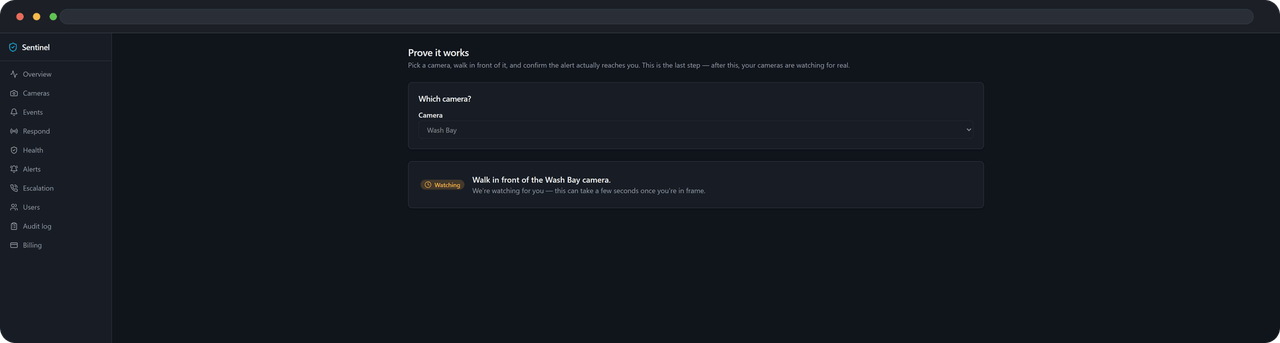
Prove it works
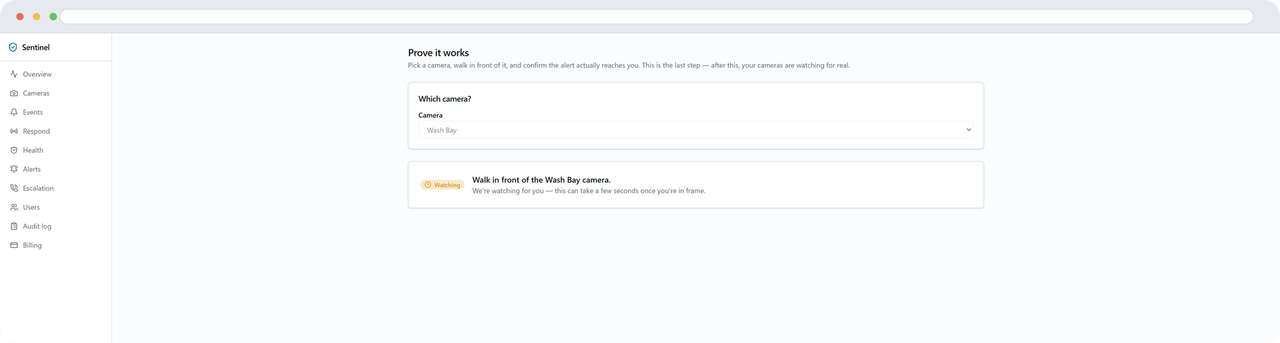
Walk in front of one of them. The alert arrives with a picture of you in it, and the page confirms the detection as it happens. That is the whole test, and it is the moment the product stops being a promise.
The product
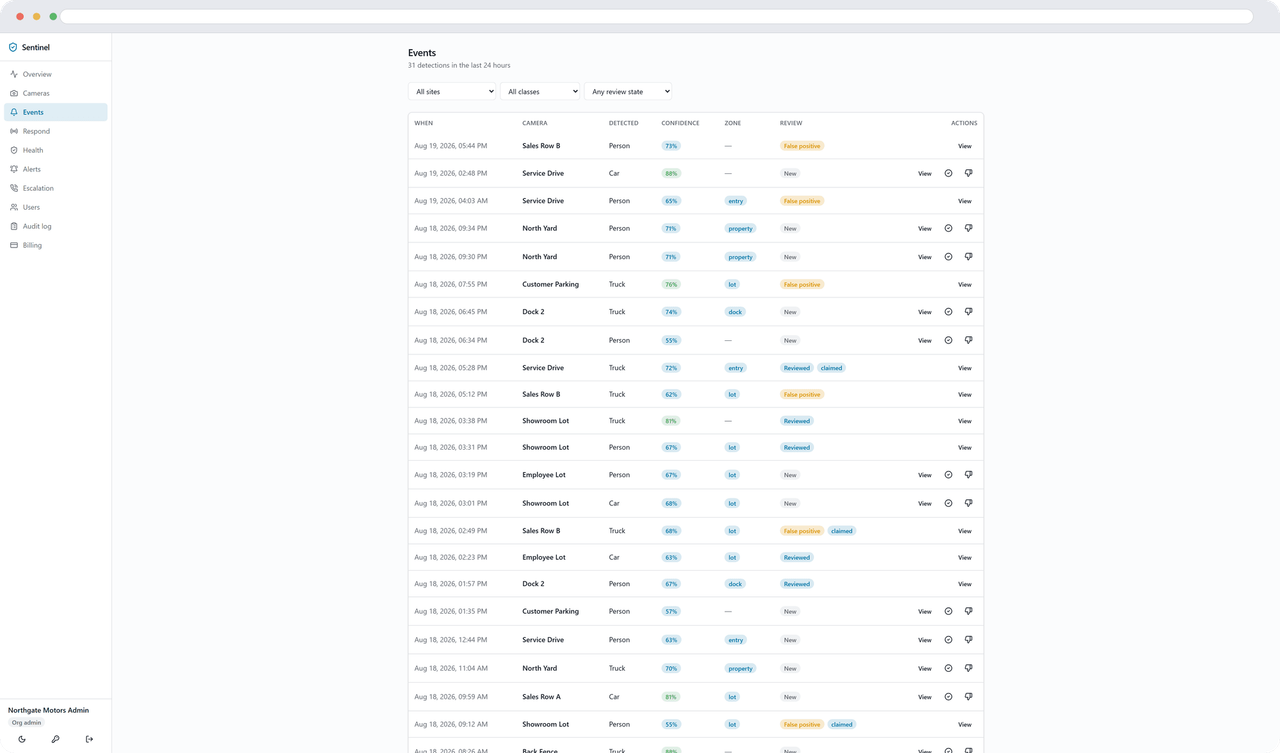
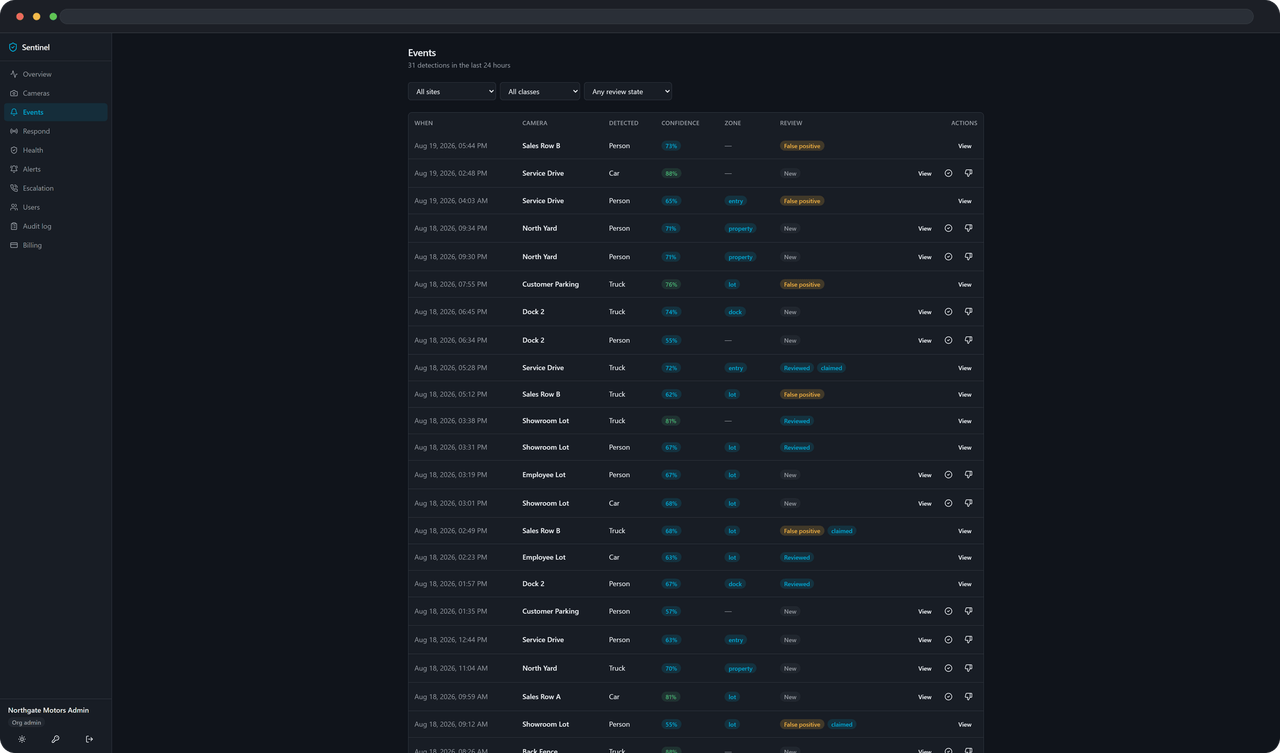
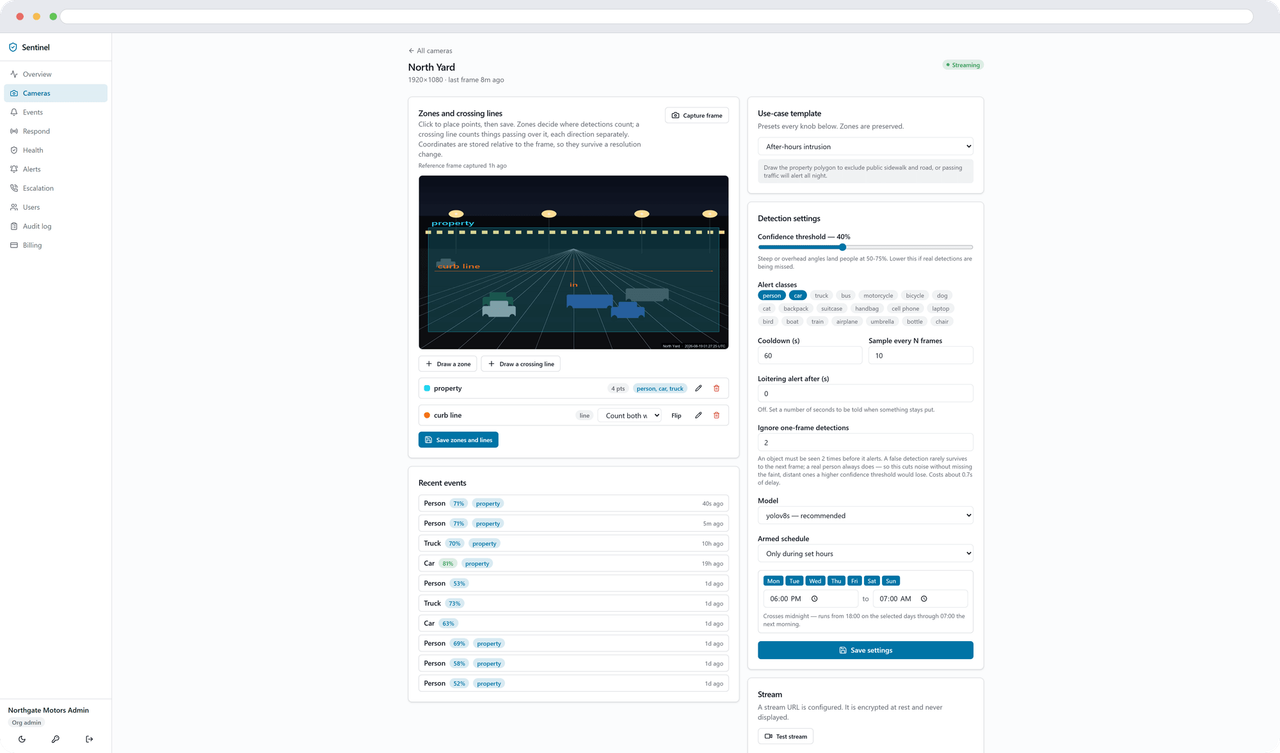
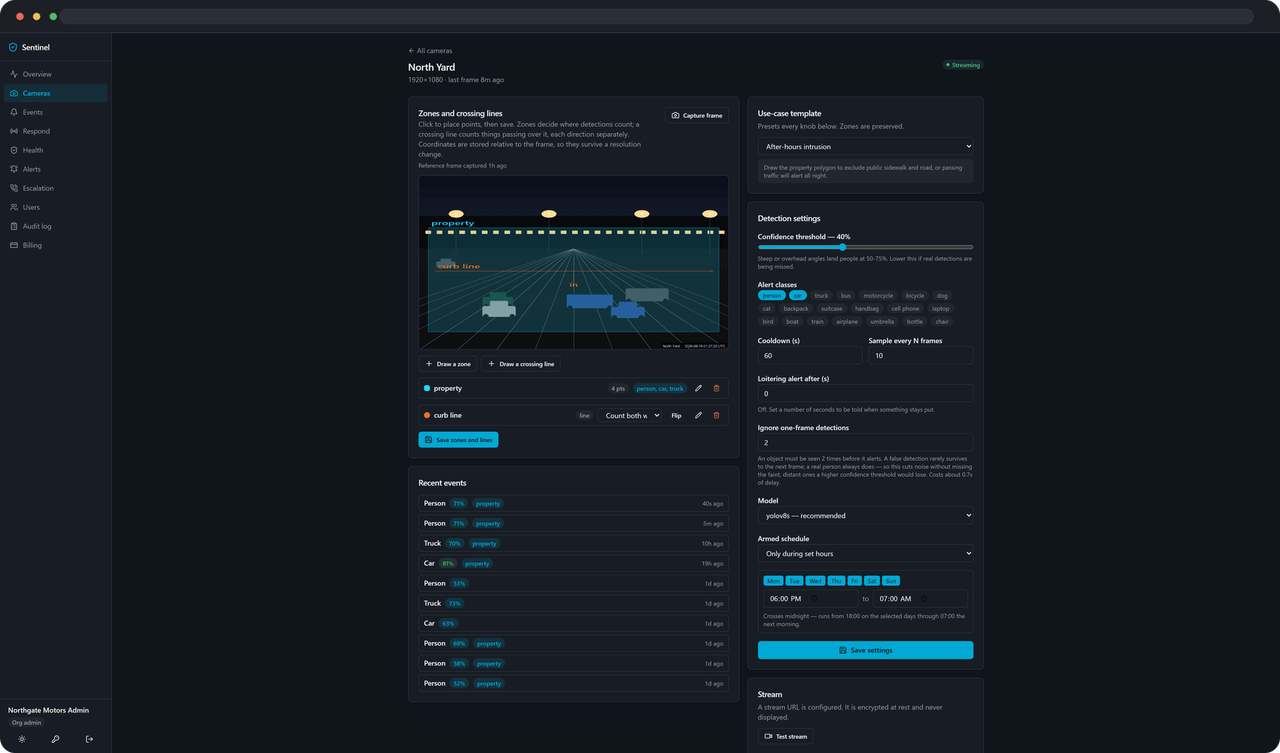
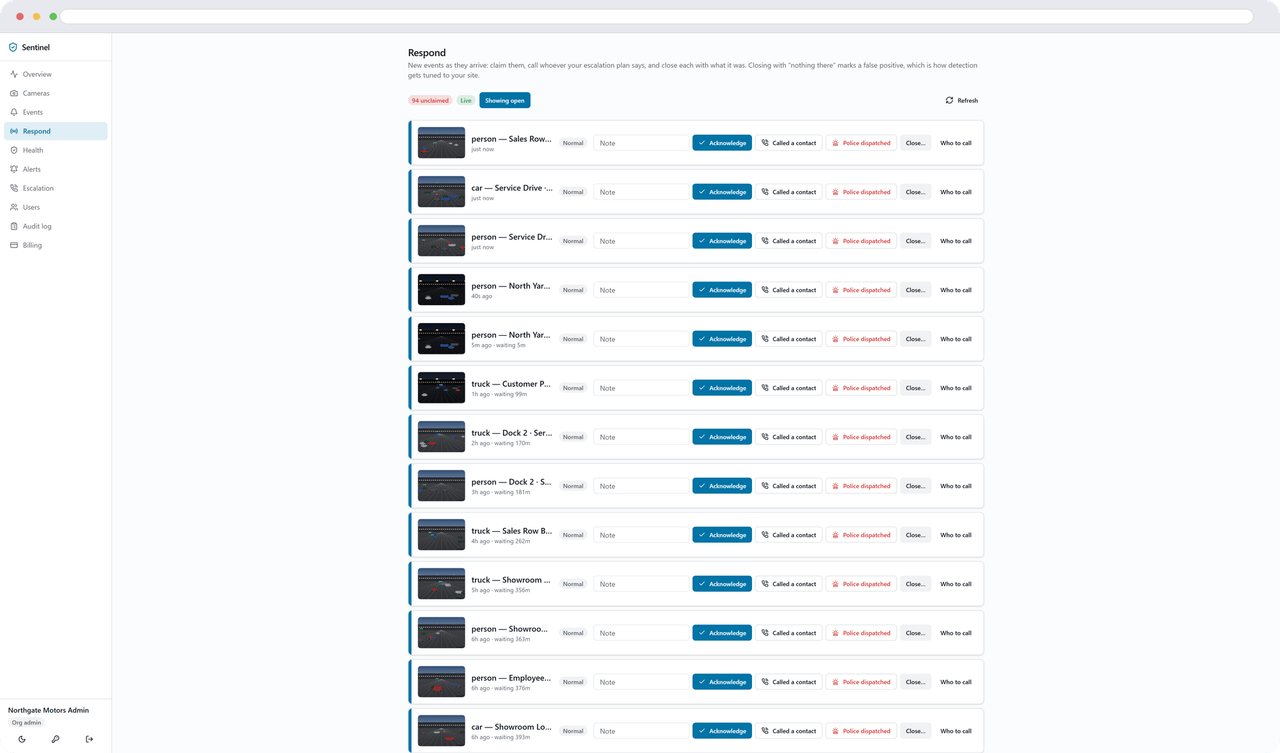
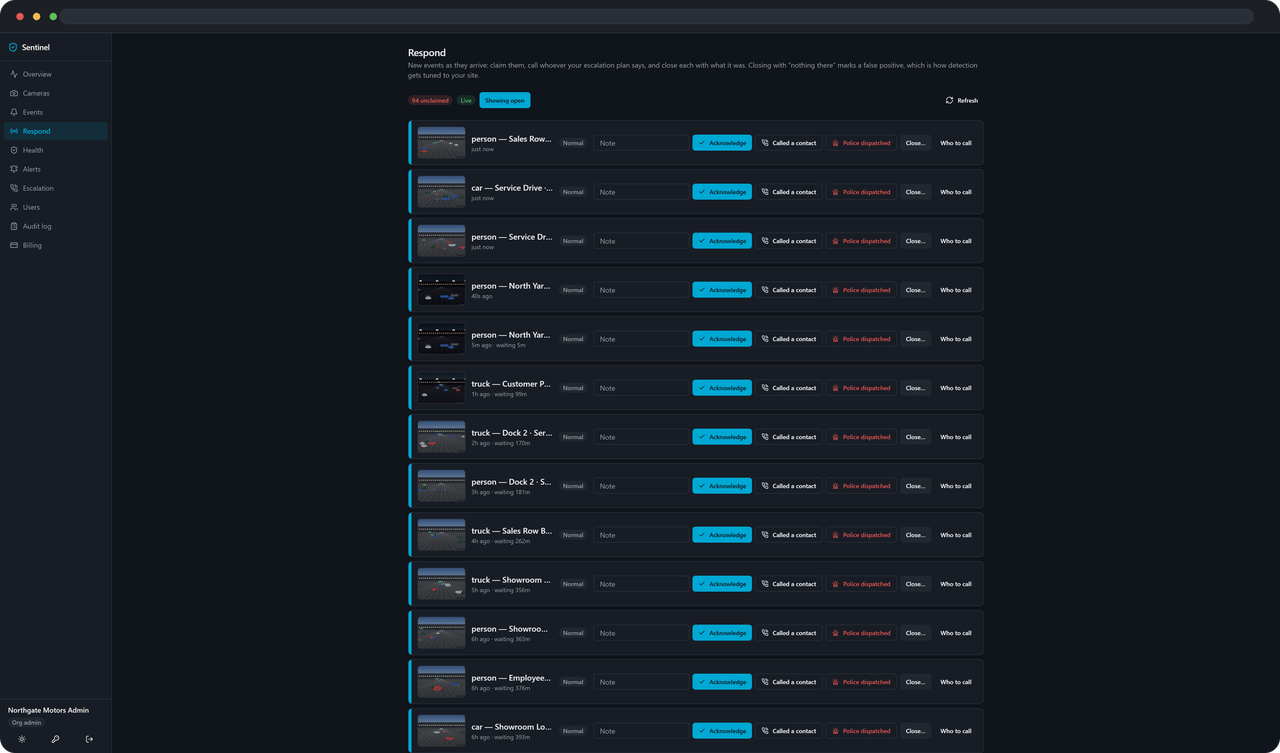
One alert. And everything behind it.
Use cases
Where it earns its place.
The same platform, pointed at the thing that actually costs you money.
After-hours lot
A person on the lot after 9pm. Not the cars that were parked there all day.
After-hours lot use caseService drive and loading dock
A truck still in the dock zone forty minutes after it pulled in, when ten is normal.
Service drive and loading dock use caseStorage gates
Someone crossing the gate line inward, at an hour when nobody is renting a unit.
Storage gates use caseRetail entrance
People at the door after close, in the feed by morning and in one digest email.
Retail entrance use caseSecurity
What your IT person will ask.
Six answers, in the order they come up. The longer version is on the security page.
One tenant cannot see another
Isolation is enforced in the query layer rather than remembered at each endpoint, and there are tests that try to reach across and must fail.
404, not 403
Ask for something that belongs to somebody else and it does not exist. A 403 would confirm that it does.
Camera credentials are encrypted at rest
Stream URLs and the passwords in them are encrypted in the database and decrypted in exactly one place in the code.
Agent keys are stored as hashes
What is kept is a hash, not the key. A copy of the database does not hand anyone a working agent.
An outage costs nothing
Events are written to a durable buffer at your site and replayed when the link is back. Ingest is idempotent, so nothing arrives twice.
Card details never touch us
Payment happens on Stripe’s own page. Sentinel stores a customer reference, never a card number.
Who's behind this
A person reads what you send. Not a queue.
Sentinel Patrol LLC, based in Texas, USA. Accounts are set up by hand today, so the person who replies to your message is the same person who builds the product.
Pricing
Per site, per month. Published.
14-day trial. The card is not charged until it ends. Sales tax is added at checkout.
Up to 8 cameras
$99/month
AI Detection
One site, the cameras that matter.
Up to 25 cameras
$249/month
AI Detection Pro
A full yard, dock or lot.
Up to 100 cameras
$599/month
AI Detection Pro Plus
Several sites, or one large one.
Questions people actually ask.
Do I need new cameras?
What does the agent send out?
Does someone at Sentinel watch my cameras?
What if my internet drops?
Is there a contract?
Know while it’s happening, not after.
Nothing inbound. Your cameras. Cancel anytime from the billing page.